


Which Platform Is Right for You?
Before diving into capability detail, we want to talk about the elephant in the room: Sage 100, while it is a product with a long history and is not a cloud-native solution, it is not a lesser choice by any means. In fact, Sage 100 is the right choice for a significant portion of the manufacturers we work with. The question isn’t which platform is better in the abstract. It’s which one fits your operation today and gives you room to grow.
Sage 100 tends to be the right answer when:
- You operate one or a small number of sites with stable, well-understood workflows and limited need for real-time consolidated reporting across entities
- Your user base is controlled and not expected to grow significantly
- You need a proven ISV ecosystem with well-supported integrations for shop floor and warehouse
- You need to go live on a shorter timeline or tighter budget
- You prefer an on-premises or hosted deployment over a true cloud model
Acumatica tends to be the right answer when:
- You operate or plan to operate multiple sites or legal entities with complex consolidated reporting or intercompany transaction requirements
- Your headcount or transaction volume is growing and per-user licensing creates cost pressure
- You need native MRP, APS, and shop floor control without assembling a multi-vendor stack
- You’re planning an acquisition or need consolidated reporting across entities
- You want a true cloud-native platform with vendor-managed upgrades
“We went from an extensive manual process to now having a fully touchless process. This has saved us at least 40 hours of work a week, freeing up our team to focus on other revenue-generating tasks.”
— Insha Naqvi, IT Manager, Pajunk Medical Systems — running Sage 100
Pajunk Medical Systems is a precision medical device manufacturer running Sage 100 with EDI integration. Their experience is a good example of what Sage 100 does well: a focused, well-configured implementation that eliminated manual processing overhead and freed the team for higher-value work. Not every manufacturer needs to migrate to a new platform. Sometimes the right move is getting more out of the one you’re on.
Choosing an ERP for Manufacturing: Who Should Read This
This guide is written for operations leaders, CFOs, and owners at manufacturing companies in the $2M–$150M revenue range who are either outgrowing their current system or evaluating ERP solutions for manufacturers. At Kissinger Associates, we’ve been implementing both Acumatica Cloud ERP and Sage 100 for manufacturers across the country for many years. This guide reflects what we’ve seen across hundreds of manufacturing implementations.
Which ERP Fits Your Manufacturing Type?
The right platform depends significantly on how you produce. Here’s an honest assessment of how Acumatica and Sage 100 fit the most common manufacturing types —including where Sage 100’s ecosystem genuinely serves manufacturers well.
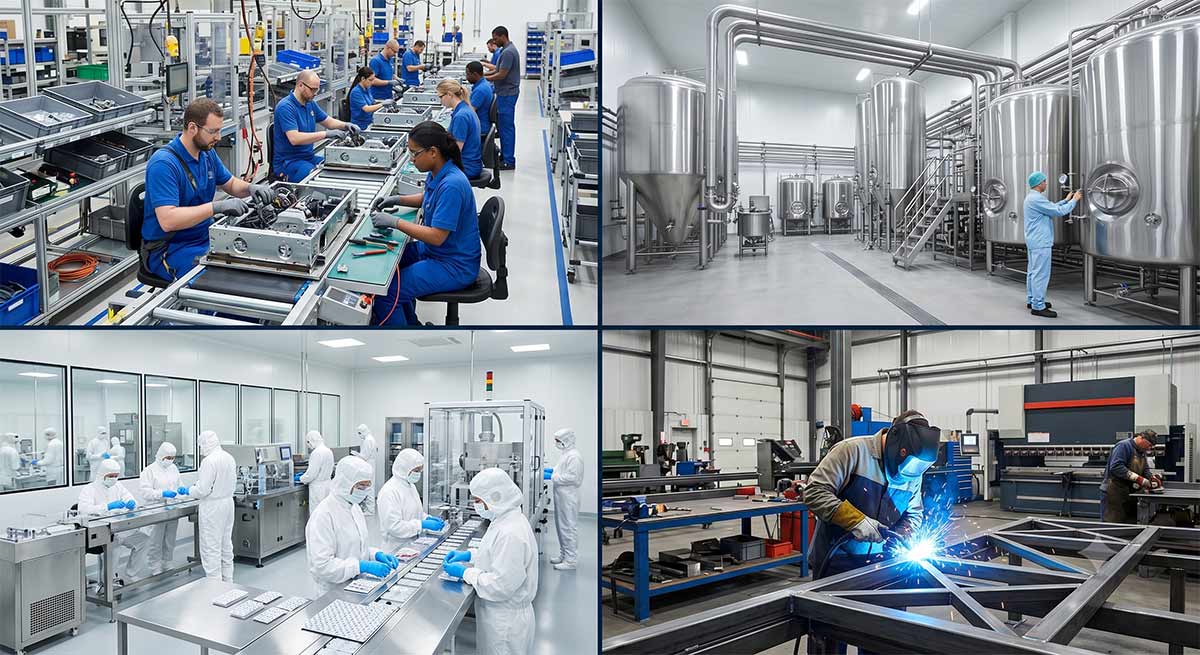
Discrete Manufacturing
Discrete manufacturers build distinct, countable products from bills of materials: industrial equipment, electronics, metal fabrications, medical devices, automotive components. Core requirements are multi-level BOMs, routings, work orders, shop floor data collection, serial and lot tracking, and capacity planning.
Sage 100 fit: Strong for discrete manufacturers with stable product lines and established workflows. Sage 100's ISV ecosystem is mature, widely deployed, and well-supported. Operations Management (published by Endpoint Automation Solutions and sold through Sage) handles shop floor execution and job management. Endpoint Automation Solutions' warehouse tools add barcode-driven data collection and mobile warehouse operations. Many discrete manufacturers run Sage 100 with these add-ons for years without hitting platform limits.
Acumatica fit: Native fit for discrete manufacturing across the full complexity range. Multi-level BOMs, revision control, engineering change control, MRP, APS, and shop floor control are all included in Acumatica Manufacturing Edition without third-party add-ons. The advantage over Sage 100 is felt most when routing complexity, scheduling depth, or multi-site requirements push beyond what the ISV stack handles cleanly.
Process Manufacturing
Process manufacturers produce goods by mixing, reacting, or transforming ingredients or raw materials: chemicals, coatings, adhesives, personal care products, nutraceuticals. Key requirements include recipe and formula management, batch tracking, by-product and co-product handling, and expiration date management.
Sage 100 fit: Functional for lighter process manufacturing use cases. For manufacturers with straightforward batch requirements and modest compliance needs, Sage 100 with appropriate customization can be a workable fit. More complex formula management, batch genealogy, or regulatory documentation requirements will push beyond what Sage 100 handles natively, but can be handled via an ISV add-on.
Acumatica fit: Acumatica Manufacturing Edition covers process-style production more natively. For manufacturers with deep formula management requirements, third-party solutions integrate via Acumatica’s open API — the core platform handles more without customization than Sage 100 does in this segment.
Engineer-to-Order (ETO) Manufacturing
ETO manufacturers build custom products to customer specification: custom machinery, fabricated structures, specialized industrial equipment. Requirements center on project costing, configure-to-order workflows, change order management, and tying engineering BOMs directly to production orders.
Sage 100 fit: Limited for true ETO environments without significant customization. Project cost tracking and change order management are areas where Sage 100’s native capabilities are stretched.
Acumatica fit: Acumatica’s Project Accounting module integrates directly with the Manufacturing Edition, making it a stronger native fit for ETO environments. Project-level cost visibility, change order tracking, and milestone billing are all within the same platform.
Food and Beverage Manufacturing
Food and beverage manufacturers require lot traceability for recall management, allergen tracking, FDA compliance documentation, shelf-life and expiration management, and catch-weight handling.
Sage 100 fit: A stronger fit than it was a year ago. Sage 100 2026 added native tracking of Lot Code Source and Country of Origin for items on the FDA Food Traceability List, directly supporting FSMA compliance and recall readiness. This makes Sage 100 a more credible option for food and beverage manufacturers with regulated traceability requirements. Manufacturers with highly complex formula or batch genealogy needs may still find Acumatica's native process manufacturing capabilities more comprehensive, but the compliance gap between the two platforms narrowed meaningfully with the 2026 release.
Acumatica fit: Stronger native fit for food manufacturers with traceability and compliance requirements. Native lot/serial tracking, expiration date management, and barcode-driven receiving reduce the manual compliance burden significantly and hold up better under customer or regulatory audits.
Pharmaceutical Manufacturing
Pharmaceutical and nutraceutical manufacturers require validated workflows, GMP and FDA 21 CFR Part 11 compliance, batch genealogy, certificate of analysis generation, and comprehensive regulatory documentation.
Sage 100 fit: Not the natural fit for validated pharmaceutical environments. Reaching GMP compliance typically requires extensive customization and third-party validation tooling — though some nutraceutical manufacturers with lighter regulatory requirements run Sage 100 successfully.
Acumatica fit: A stronger foundation. Most pharmaceutical manufacturers still require a specialized ISV layer, but Acumatica’s open API makes those integrations pretty straightforward, and the audit trail capabilities are more robust out of the box.
Mixed-Mode Manufacturing
Mixed-mode manufacturers combine discrete assembly and process steps in the same operation — for example, batch-producing a chemical intermediate and then assembling it into a discrete finished good.
Sage 100 fit: Mixed-mode environments tend to expose the boundaries of what Sage 100 handles natively. Most mixed-mode manufacturers on Sage 100 are running multiple ISV modules with separate data models, which creates reconciliation overhead as complexity grows.
Acumatica fit: Handles mixed-mode within a single platform and data model. For manufacturers whose operations genuinely span both modes, the unified architecture removes a meaningful source of ongoing friction.
Where the Platforms Diverge Most: Production Management
For a manufacturer making a 10-year platform bet, production management is where the gap between these two systems is felt most directly — and where the consequences of a poor fit compound over time.
Acumatica Manufacturing Edition: What’s Included
Acumatica Manufacturing Edition includes multi-level BOMs, revision control, engineering change control, phantom item support, and integrated routing and operations management out of the box. Work orders can be generated from BOMs, sales orders, MRP output, or manually — with full cost rollup and variance analysis built in. It’s a single, unified platform: no ISV assembly required for the core manufacturing workflow.
Sage 100 Production Management and Its ISV Ecosystem
Sage 100 Production Management covers work orders, BOMs, and routing for manufacturers whose requirements fit within its native scope. Where it doesn’t reach natively, the Sage 100 integration ecosystem fills the gap: Operations Management for shop floor execution and advanced work order management, and Endpoint Automation Solutions' warehouse automation tools for barcode-driven data collection and mobile warehouse operations. These are mature, widely-deployed solutions with established user communities and dedicated support.
The tradeoff is coordination. A manufacturer running Sage 100 with Operations Management and Endpoint Automation Solutions is managing two vendor relationships, two upgrade cycles, and two support queues. For operations where those tools are stable and well-configured, that overhead is manageable and the combined system works well. When operational requirements change — a new product line, a second site, a shift in scheduling complexity — the coordination cost becomes more visible.
Sage 100 Production Management vs Acumatica MRP
Consider a manufacturer running 80 employees across two shifts who needs real-time WIP data at every work center. With Acumatica, that’s a native capability: the MRP engine handles time-phased material planning, demand and supply balancing, multi-warehouse planning, and safety stock logic — all with direct integration to sales orders and purchase orders. Shop floor control includes barcode data collection, labor tracking, WIP dashboards, backflushing, and real-time production reporting, all within the same platform.
Sage 100 Production Management covers the basics well. Replicating the same level of shop floor visibility typically means adding Operations Management for job and shop floor management, and warehouse tools for barcode and data collection.
Scheduling and Capacity Planning
Acumatica’s Advanced Planning and Scheduling (APS) module includes finite capacity planning, forward and backward scheduling, capable-to-promise, visual schedule boards, and what-if scenario modeling — connected natively to inventory, purchasing, and production data. Sage 100 manufacturers who need this depth typically use third-party scheduling tools. For discrete manufacturers with complex routings and multiple work centers, this is often the capability that tips the evaluation toward Acumatica.
Inventory Management and Multi-Site Operations
Inventory management differences between the two platforms grow more pronounced as operational complexity increases — and accelerate as cross-entity reporting and intercompany transaction complexity grows.
Real-Time Inventory Visibility and Traceability
Acumatica provides native lot and serial tracking, multi-bin warehouse management, and barcode-driven receiving and fulfillment without a third-party WMS. For manufacturers focused on minimizing inventory costs and improving traceability, how native capabilities reduce inventory costs for manufacturers goes deeper on the operational impact. Sage 100 handles inventory well within its native scope, and can be extended with barcode-driven warehouse operations that many manufacturers rely on successfully.
For manufacturers with regulated materials or customer traceability requirements — defense, medical device, food and beverage, automotive — the depth of native traceability matters more than it appears during demos. What looks like a minor feature difference becomes operationally significant when a customer audit requests lot trace documentation across three years of production runs.
Multi-Location and Multi-Entity Support
Acumatica is built for organizations with multiple sites or legal entities: intercompany transactions, consolidated financials, and unified inventory visibility across locations are native capabilities.
Sage 100 supports multi-site operations natively using separate companies within the same installation — each with its own set of books, while sharing a common item and vendor database. This works well for manufacturers operating distinct business units or locations that don't require consolidated real-time reporting across entities. Where Sage 100 becomes more constrained is in cross-company consolidated financial reporting and intercompany transactions, which Acumatica handles natively without manual reconciliation. If you’re operating one facility with no near-term expansion plans, this isn’t a deciding factor. If a second site or acquisition is in the next three years, it’s worth weighing now.
Best Cloud ERP for Manufacturing: Why Architecture Matters
The architectural difference between these platforms is the one most manufacturers underweight during evaluation — and the one that creates the most friction three to five years post-implementation.
Cloud-Native vs. On-Premises with Cloud Hosting
Acumatica was built as a true cloud-native ERP: browser-based, no desktop installation required, API-first architecture, and mobile access from day one. Updates roll out twice per year, managed by the vendor, with no customer-side IT upgrade effort.
Sage 100 was built as an on-premises system and remains well-suited for that deployment model. Cloud deployment means hosting through a third-party partner — a legitimate and widely-used approach, but architecturally different from a platform designed for cloud delivery. Remote access typically requires RDP or VPN rather than a native browser. For manufacturers who prefer on-premises control, Sage 100’s architecture is an advantage, not a liability.

Scalability and Licensing
Acumatica’s consumption-based pricing means adding users doesn’t linearly increase your annual software bill — a meaningful advantage for manufacturers planning to grow headcount. Sage 100’s per-user licensing model is straightforward and predictable for stable teams, but creates cost pressure as headcount grows. At 100 users, that difference is worth modeling over five years before committing to either platform.
How NetSuite, Dynamics 365 Business Central, and SAP Business One Compare
Kissinger Associates implements Acumatica, Sage 100, and Sage Intacct. We’ve included NetSuite, SAP Business One, and Microsoft Dynamics 365 Business Central here because they come up often in manufacturing ERP evaluation.
A note on Sage Intacct: If multi-entity financial complexity is the primary driver of your evaluation — rather than production management depth — Sage Intacct deserves consideration. It’s built for organizations with complex intercompany, consolidation, and reporting requirements. It is not a manufacturing ERP, but for holding companies or multi-entity operations where the finance function drives the decision, it’s an excellent solution.
Total Cost of Ownership: The Five-Year View
Licensing model differences are easy to misread in a year-one comparison. The real picture emerges over five years — and both platforms can come out ahead depending on your situation.
Licensing Model: Consumption vs. Per-User
Acumatica charges based on resource tier and transaction volume, not headcount — adding users doesn't linearly increase your annual software bill. For manufacturers planning to grow their team, that distinction matters: the licensing model scales with your business without penalizing you for every new hire.
Sage 100 operates on a per-user or concurrent-user model. For a stable team with a controlled user count, that structure is predictable and straightforward — you know what you're paying and the cost doesn't change unless your headcount does. As user counts grow, however, the per-seat cost compounds in a way that Acumatica's consumption model doesn't. The crossover point where Acumatica's model becomes more cost-efficient varies by reseller agreement, edition, and transaction volume — your implementation partner should model both against your specific headcount trajectory before you commit to either platform.
Implementation and Ongoing Maintenance Costs
Implementation cost for either platform is driven less by which system you choose and more by what you're asking it to do. Scope, integration complexity, data migration volume, and the number of modules being configured all move the number significantly — sometimes by a factor of three or four within the same platform. Any range you see published, including ones on this page, should be treated as a starting point for a conversation, not a budget line.
That said, a few patterns hold across implementations we've seen:
Sage 100 implementations in simpler, single-site environments with limited integration requirements tend to carry a lower upfront cost than comparable Acumatica projects. For a smaller manufacturer with straightforward requirements, that difference can be meaningful — and if your operation doesn't yet need what Acumatica offers, paying for a more complex implementation doesn't make sense.
Acumatica's implementation cost reflects its broader native scope. A manufacturer implementing Acumatica Manufacturing Edition with MRP, APS, shop floor control, and two or three integrations is configuring significantly more than a baseline Sage 100 install — and the cost reflects that. As a rough illustration: a mid-market manufacturer in the 75–150 user range implementing Acumatica with moderate complexity will typically land in a different cost tier than a smaller manufacturer running a focused Sage 100 deployment. The gap narrows when you factor in ISV licensing for Sage 100 add-ons, hosting costs, and the IT overhead of managing upgrades across multiple vendors over time.
One important distinction for Acumatica: because its licensing is based on transaction volume and resource tier rather than user count, implementation scope — not headcount — is the primary cost driver. A manufacturer with EDI, multi-bin WMS, and complex integrations will carry a meaningfully higher cost than one with a simpler footprint, regardless of user count.
Ongoing maintenance follows a similar pattern. A stable Sage 100 operation with a well-configured ISV stack carries predictable annual costs and manageable upgrade overhead — particularly for manufacturers who aren't changing their operational footprint significantly year over year. At higher complexity and user counts, Acumatica's vendor-managed upgrade cycle and consumption-based licensing tend to produce a lower total maintenance burden than coordinating upgrades across a multi-vendor Sage 100 stack.
The true cost comparison in either case isn't implementation day — it's year three and year five of total system ownership. We recommend asking any implementation partner you evaluate to walk you through a five-year total cost model based on your specific situation, not published ranges.
Five-Year TCO Reality Check
For a manufacturer in the $2M–$15M range with stable operations and a controlled user base, Sage 100 is often the more cost-effective platform over five years — particularly when you factor in the lower implementation cost and the lower disruption of not migrating. If the operational complexity doesn't yet justify a cloud-native platform, the five-year math usually doesn't either.
At higher user counts and greater complexity — multiple sites, growing integration needs, or significant headcount growth — Acumatica's licensing model and lower maintenance overhead generally produce a better long-term TCO. The gap is most visible when you account for ISV licensing costs, hosting and infrastructure, upgrade labor, and internal IT administration time across a multi-vendor Sage 100 stack. Those costs are manageable at smaller scale; at larger scale they compound in ways that a year-one comparison doesn't capture.
Migrating from Sage 100 to Acumatica: Realistic Timelines and Risks
If you’ve worked through the decision framework and Acumatica is the right next platform, the migration question follows immediately. The timeline is the thing most manufacturers underestimate — and the risks are worth understanding before you scope the project.

How Long a Migration Actually Takes
A straightforward Sage 100 to Acumatica migration typically runs four to eight months. Heavy customization, complex integrations, or large data volumes push that range to six to twelve months or more.
The Risks Most Teams Underestimate
Data quality is the most common source of go-live delays. Duplicate records, inconsistent item coding, bad historical balances, and missing lot and serial data all surface during data preparation. We’ve seen migrations that looked straightforward in scoping turn into multi-month remediation projects because the source system had years of unreconciled inventory records.
Custom reports and modified workflows rarely transfer directly. Process redesign is usually required, not just data movement. Teams that treat migration as a lift-and-shift consistently hit the same wall.
Integration rebuilds need to start early. EDI, shipping, payroll, and BI tool integrations that are treated as a final step consistently create problems at cutover. Start integration scoping in the discovery phase.
Go-live timing matters more than most teams give it. Going live during peak production season is a risk multiplier. Build your timeline backward from a go-live date that gives your team two to three months of stable operation before your heaviest period.
Data Migration Best Practices
Decide upfront what historical data is truly required versus what can stay in Sage 100 as a read-only archive. Not every transaction from the last ten years needs to live in your new system.
Run at least one full mock conversion before go-live and reconcile AR and AP aging, inventory valuation, and open purchase and sales orders to the penny. Gaps that surface during mock conversions are manageable. The same gaps discovered after go-live are costly — and at least once a year, we talk to a manufacturer who found that out the hard way.
How to Make the Decision: A Practical Framework
The right ERP for manufacturing isn’t the one with the longest feature list. It’s the one that matches your operational complexity today and doesn’t cap your growth tomorrow — or charge you for capability you don’t need yet.

Decision Questions That Actually Matter
Work through these before you evaluate demos:
- How many production sites do you operate today, and how many do you expect in five years?
- How many users need system access, and is that number growing?
- What is your manufacturing type — discrete, process, ETO, food and beverage, or mixed-mode?
- What integration complexity exists or is planned: EDI, eCommerce, CRM, shipping, 3PL?
- How deep are your scheduling and capacity planning requirements?
- Do you have active acquisition plans or expect significant headcount growth?
- What is your tolerance for ongoing IT administration vs. vendor-managed updates?
The Decision Framework by Growth Stage
Frequently Asked Questions
Is Acumatica better than Sage 100 for manufacturing?
It depends on your operation. Acumatica is the stronger choice for manufacturers with complex multi-site operations requiring real-time consolidated reporting across entities, growing headcount, complex production routing, or acquisition plans. Sage 100 is a proven, well-supported platform for manufacturers who want a stable, configurable system without the cost and disruption of a full cloud migration — particularly those where consolidated cross-entity reporting and intercompany transaction complexity aren't primary drivers of the decision.
What’s the difference between Sage 100 Production Management and Acumatica Manufacturing Edition?
Sage 100 Production Management covers work orders, BOMs, and routing, with a mature ISV ecosystem — Operations Management for job and shop floor management, Endpoint Automation Solutions for warehouse automation — that extends its native capabilities. Acumatica Manufacturing Edition includes native MRP, Advanced Planning and Scheduling, engineering change control, and shop floor data collection without requiring third-party ISV modules. The practical difference is single-platforms vs. multi-vendor stack — both approaches work, with different tradeoffs in cost, maintenance, and integration complexity.
Can Sage 100 handle process manufacturing?
It can handle lighter process manufacturing use cases. For straightforward batch requirements with modest compliance needs, Sage 100 with customization can be a workable fit. More complex formula management, batch genealogy, or FDA documentation requirements will push beyond what Sage 100 handles natively, and most process manufacturers with those needs end up on a more specialized platform.
Which ERP has better MRP— Acumatica or Sage 100?
Acumatica’s MRP engine is native and integrates directly with sales orders, purchase orders, inventory, and production without middleware. Sage 100’s MRP capabilities are more limited natively and typically require ISV extensions for comparable depth. For manufacturers with complex demand planning requirements, Acumatica is the stronger choice. For manufacturers with simpler planning needs, Sage 100’s native capabilities combined with its ISV ecosystem are often sufficient.
What does it cost to migrate from Sage 100 to Acumatica?
Total migration cost typically runs $75,000–$350,000 depending on complexity, user count, and integration scope. For a mid-market manufacturer in the 75–150 user range, a realistic midpoint is $90,000–$110,000. Most manufacturers who execute the migration well see ROI within 12–24 months — though that ROI calculation only makes sense when the operational gain justifies the migration investment.
How long does it take to implement Acumatica for manufacturing?
Typical mid-market implementations run four to eight months. Complex environments with heavy integrations or large data migration scope can extend to six to twelve months.
Can Sage 100 handle multi-site manufacturing?
Yes. Sage 100 supports multi-site operations natively using separate companies within the same installation — each with its own set of books while sharing a common item and vendor database. Where Sage 100 becomes more constrained is in cross-company consolidated financial reporting and intercompany transactions at scale, which Acumatica handles natively without manual reconciliation. If multi-entity consolidation is a core requirement, that's worth weighing before committing to either platform.
Does Acumatica replace the need for a separate WMS?
For most mid-market manufacturers, yes. Acumatica’s native lot/serial tracking, multi-bin warehouse management, and barcode-driven receiving cover most needs without a third-party WMS. Complex 3PL or highly automated environments may still benefit from a dedicated WMS integration.
The Bottom Line
Sage 100 is a proven platform with a mature ecosystem, a strong ISV community, and decades of successful manufacturing deployments behind it. Acumatica offers native cloud architecture, deeper out-of-box manufacturing functionality, and a licensing model that scales without per-seat cost penalties. Both are legitimate choices— in the right context.
The mistake isn’t choosing one over the other. It’s choosing the wrong one for your stage, or delaying the decision while your current system keeps slowing you down. An experienced implementation partner who knows both platforms shortens the evaluation and helps you avoid committing to an architecture that doesn’t fit your next five years.
At Kissinger Associates, we’ve been helping manufacturers make this decision since 1985. We implement both Acumatica and Sage 100.
Schedule a free ERP selection consultation.


.svg)
.png)